
Oracle Database Express Docker edition installation guide
In this guide you will learn how to install Oracle Database Express (XE) 21c Docker edition and the Oracle Sample Database Schemas. It is intended to get a test environment as quick as possible so don’t expect to learn any of best practices.
The commands were run in a computer with Windows 11, but also can be run with little modifications on other operating systems.
Install Oracle Express Docker edition
- First create the folder
C:\oracle_data. - Now open a Poweshell terminal and run this command that creates the Oracle Express database container. Also, it sets the password to
ORACLEfor users: sys, system, and pdbadmin, and configures the volume/opt/oracle/oradatato store the database files inC:\oracle_data.docker run --name OracleXE_Server ` -d ` -e ORACLE_PWD=ORACLE ` -v C:\oracle_data:/opt/oracle/oradata ` container-registry.oracle.com/database/express:21.3.0-xe - After, execute periodically the command
docker container psuntil the container status changes tohealthy.

The next steps are to check Oracle database is up and running:
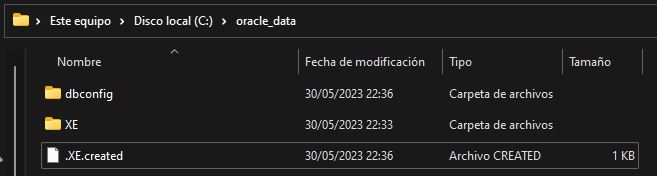
- First, check that
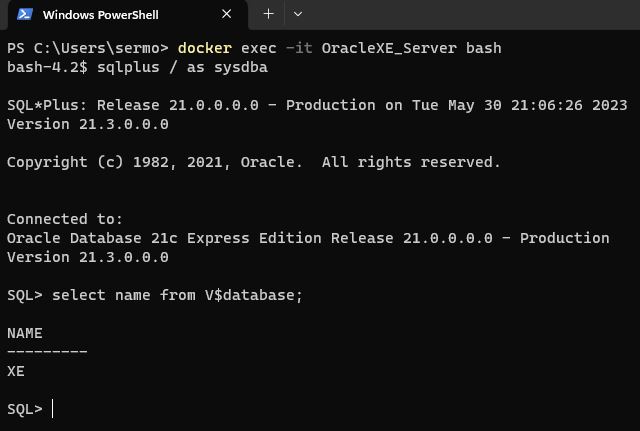
C:\oracle_datafolder is not empty. - Connect to the terminal of the container:
docker exec -it OracleXE_Server bash - Run sqlplus command to connect to the Oracle server:
sqlplus / as sysdba - Finally, execute a query to test the database. For example, this one that shows the list of databases:
select name from V$database;
(Optional) Install Oracle sample schemas
The sample schemas are the official Oracle example data for learning and testing purposes.
- Download the Oracle Database Sample Schemas 21c zip file and unzip it in the folder
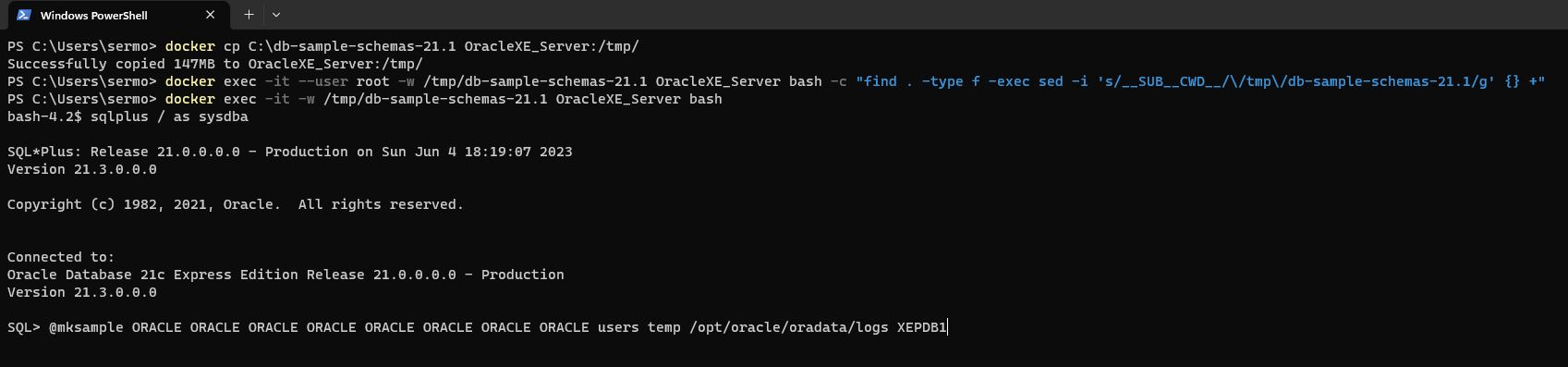
C:\db-sample-schemas-21.1 - Copy the files to a temporary folder inside the Oracle database server container:
docker cp C:\db-sample-schemas-21.1 OracleXE_Server:/tmp/ - Replace the string
__SUB__CWD__with/tmp/db-sample-schemas-21.1in all Oracle sample schema files:
docker exec -it --user root -w /tmp/db-sample-schemas-21.1 OracleXE_Server bash -c "find . -type f -exec sed -i 's/__SUB__CWD__/\/tmp\/db-sample-schemas-21.1/g' {} +" - Open a console in the container in
/tmp/db-sample-schemas-21.1folder:docker exec -it -w /tmp/db-sample-schemas-21.1 OracleXE_Server bash - Connect to the Oracle server as admin:
sqlplus / as sysdba - Run this command to install the Oracle Sample schemas. It will set the password to
ORACLEfor all schemas (HR, OE, PM, IX, SH, and BI):
@mksample ORACLE ORACLE ORACLE ORACLE ORACLE ORACLE ORACLE ORACLE users temp /opt/oracle/oradata/logs XEPDB1
The next steps are to check Oracle sample schemas are installed:
- Open a console in the container in
/tmp/db-sample-schemas-21.1folder:
docker exec -it -w /tmp/db-sample-schemas-21.1 OracleXE_Server bash - Connect to the Oracle server as admin:
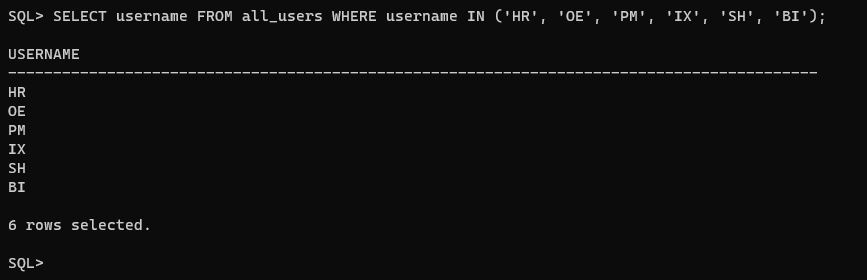
sqlplus / as sysdba - Run this command to list the sample schemas. It must return 6 rows:
SELECT username FROM all_users WHERE username IN ('HR', 'OE', 'PM', 'IX', 'SH', 'BI');
Uninstall Oracle Express Docker edition
- Run the command
docker container stop OracleXE_Serverto stop Oracle Database - Run
docker container rm OracleXE_Serverto delete the container - (Optional) Delete the folder
C:\oracle_datato destroy the database and all settings of the Oracle server.
